
Replace passive tablet screen time with active hands-on innovation! Wizbot Maxx teaches early computational thinking, directional logic, and creative geometry through tactile buttons, colorful play mats, and robotic marker drawing.
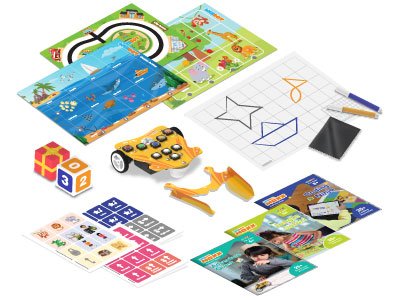 STEM Toy of the Year
Designed by child psychologists and STEM pedagogues to nurture essential executive function skills without screens.
No phones, computers, or tablets needed. Protect young developing vision with tactile physical play.
Learn left, right, forward, and backward rotations on real coordinate grid mats with physical step calculation.
Insert markers to draw triangles, circles, letters, and custom geometric mandalas onto paper.
Quirky sound effects, victory jingles, and multi-color animated LED eyes provide instant rewarding feedback.
Every kit includes durable, wipe-clean thematic activity maps and puzzle challenge cards.
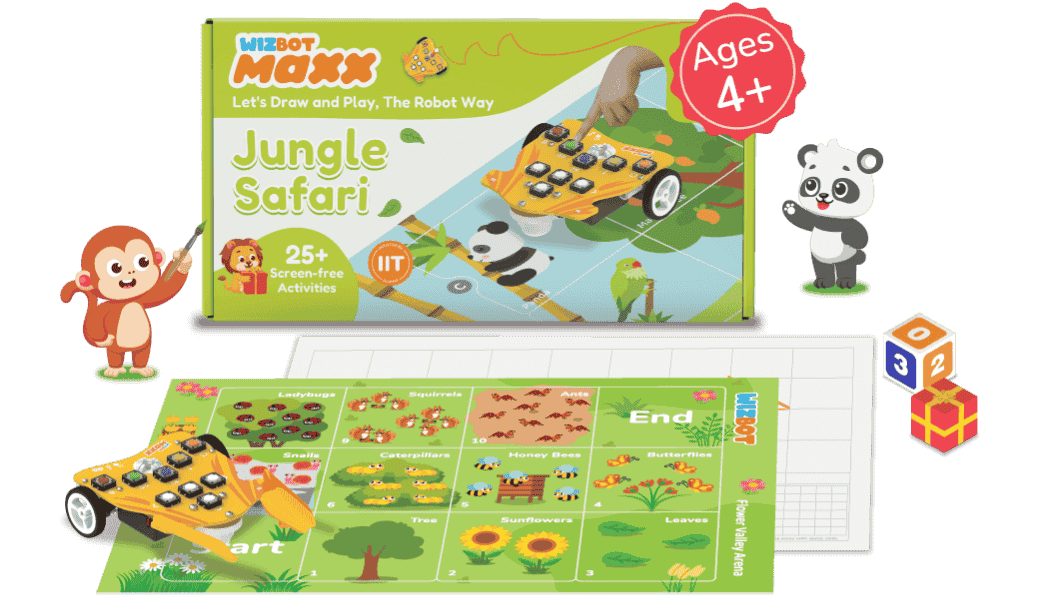
Guide Wizbot through dense jungle paths, rescue animal companions, cross wooden rope bridges, and navigate around rocky rivers.
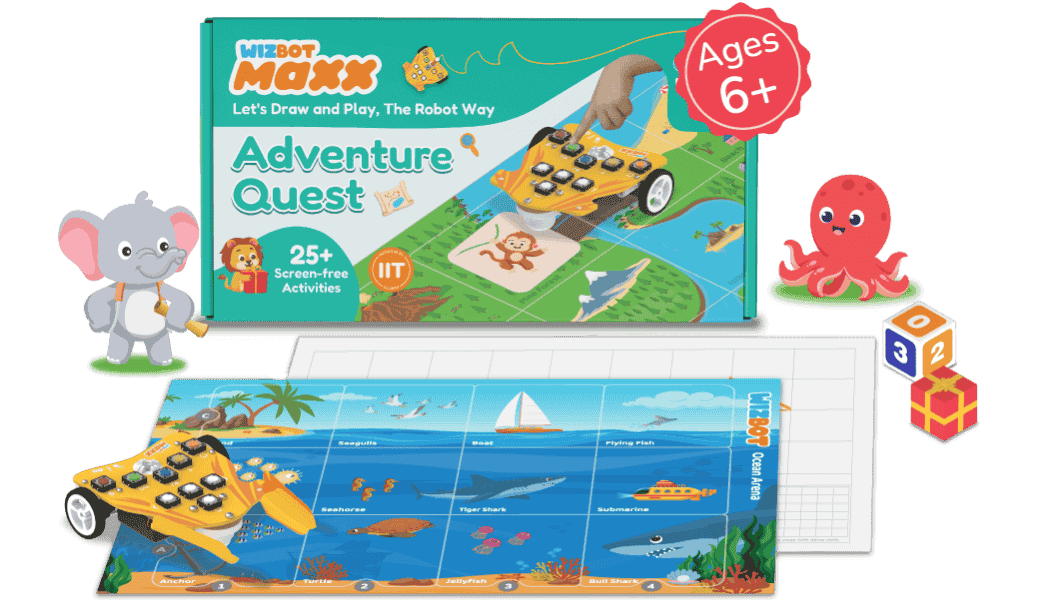
Embark on a fairytale quest across ancient castles, enchanted forests, and hidden treasure vaults with step-by-step puzzle cards.
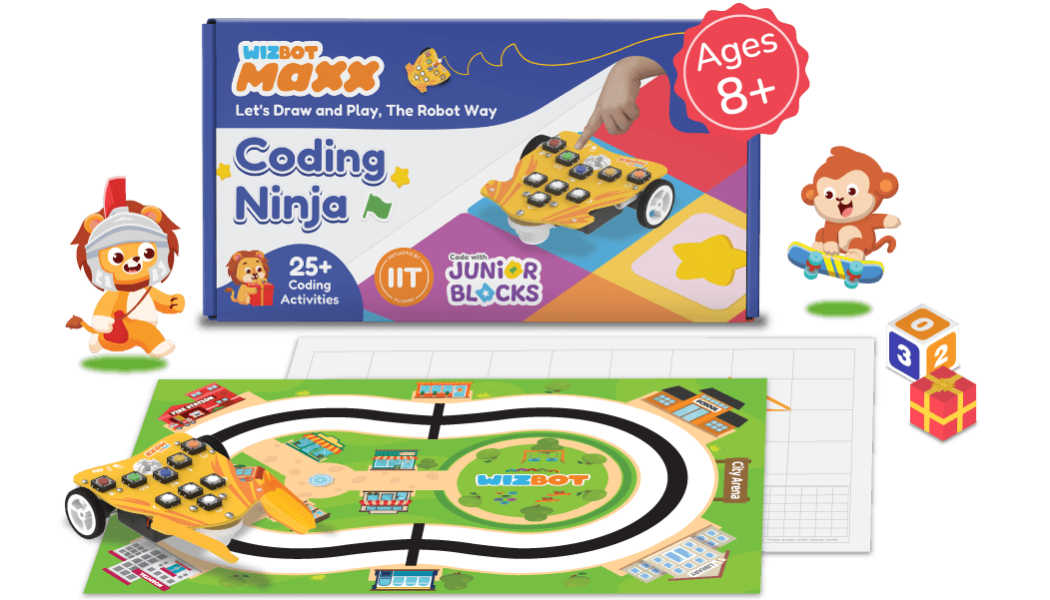
Master the ninja dojo challenges! Complete complex loop challenges, multi-step math paths, and maze puzzle escapes.
Additional expansion packs available: Space Explorer, Ocean Rescue & Dinosaur Land.
Switch effortlessly between step-based mat navigation and robotic drawing geometry.

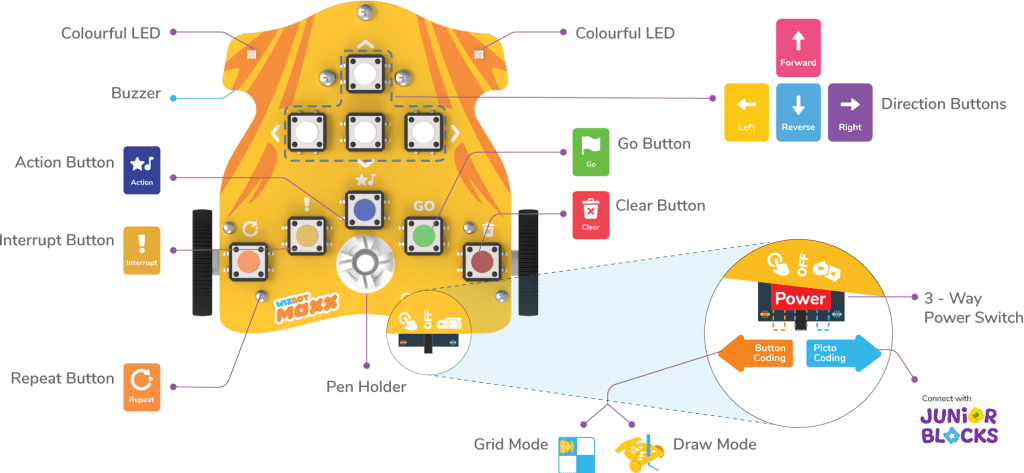
Each press of the directional buttons equals one calibrated unit step or 90-degree turn. Children visualize their character's trajectory, enter the sequence, and press Go to watch Wizbot navigate through story adventures!

Drop two washable colored markers into the dual pen holder slots! Wizbot Maxx draws precise geometric shapes, letters, spiral art, and custom pictures dictated entirely by the coded commands.
Simple, chunky, durable buttons engineered for small fingers with zero fragile antennas or screens.
 Kid-Friendly
Forward, Backward, Turn Left, and Turn Right buttons with tactile clicks that confirm each step entered.
Green Go button executes the stored program. Clear button flushes memory for the next trial with reassuring audio chimes.
Secure slots fit standard sketch pens and washable markers for high-precision robotic drawings.
RGB LED matrix eyes wink, blink, celebrate victories, and express personality during playback.
Turn learning into collaborative playtime! Wizbot Maxx invites parents and siblings to co-create missions, solve escape challenges, and celebrate robotic triumphs together on the living room floor.


Up to 4 kids can take turns programming and racing.
Rechargeable battery delivers 6+ hours of active learning.
Ideal for preschools, kindergarten, and Grade 1–2 classrooms. Request a demo set or classroom pack quotation for your school.
Includes teacher training guide & curriculum alignment